Percentage Calculator, Find Percent, Increase, Decrease Fast
Use this percentage calculator to find percent, change, increase, decrease, and discount instantly.
You can explore more related tools inside this math calculators collection.
A percentage calculator helps you solve everyday math quickly without confusion. You can find percent change, discounts, and simple percentage values easily. This guide explains formulas, real examples, and common mistakes step by step. It focuses on practical use, not theory, so you can apply it fast.
Percentages appear in shopping, salary growth, exam scores, and business reports. Once you understand a few formulas, most problems become simple. You will also learn how to avoid mistakes people make often.
What a Percentage Means in Simple Terms
A percentage shows how much something is out of one hundred. It helps compare values in a clear and simple way.
For example, 50 percent means 50 out of 100. It can also be written as 0.5 or 1/2.
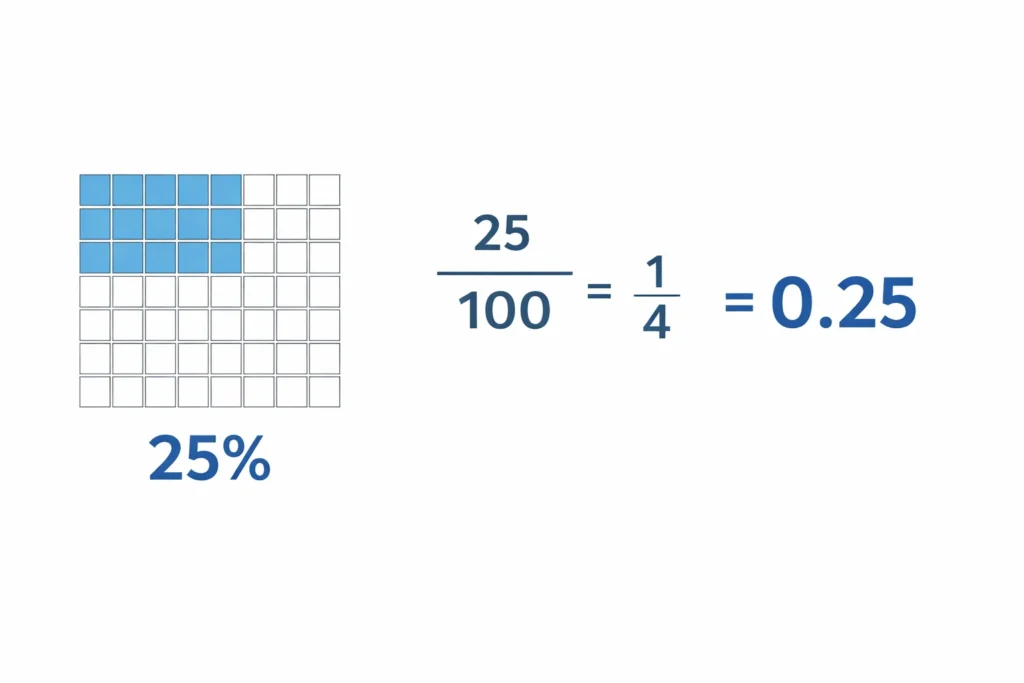
Percentage, Fraction, and Decimal Relationship
Percent, fraction, and decimal all represent the same value in different forms.
- 25% = 25/100 = 0.25
- 50% = 1/2 = 0.5
- 75% = 3/4 = 0.75
This conversion is useful when solving percentage problems in real situations.
Core Terms You Need Before Solving Any Problem
You should understand these terms before calculating anything:
- Part is the value you compare
- Whole is the total or base value
- Percentage is how much of the whole the part represents
Example, if 20 out of 100, then 20 is the part and 100 is the whole.
Basic Percentage Formula Everyone Uses
Most problems use one simple formula. Once you learn it, many calculations become easy.
Formula for Finding a Percentage of a Number
Use this formula:
Percentage ÷ 100 × Number = Result
Example, find 20% of 500:
20 ÷ 100 × 500 = 100
So, 20% of 500 is 100.
Formula for Finding What Percent One Number Is of Another
Use this formula:
Value ÷ Base Value × 100 = Percentage
Example, 50 is what percent of 200:
50 ÷ 200 × 100 = 25%
This type of question appears often in exams and reports.
Formula for Finding the Whole from a Known Percentage
Use this formula:
Part ÷ Percentage (decimal form) = Whole
Example, 40 is 20% of what number:
40 ÷ 0.2 = 200
This is useful in reverse calculations and pricing problems.
How to Calculate Percent Change Correctly
Percent change shows how much a value increases or decreases over time. It is used in finance, traffic analysis, and pricing.
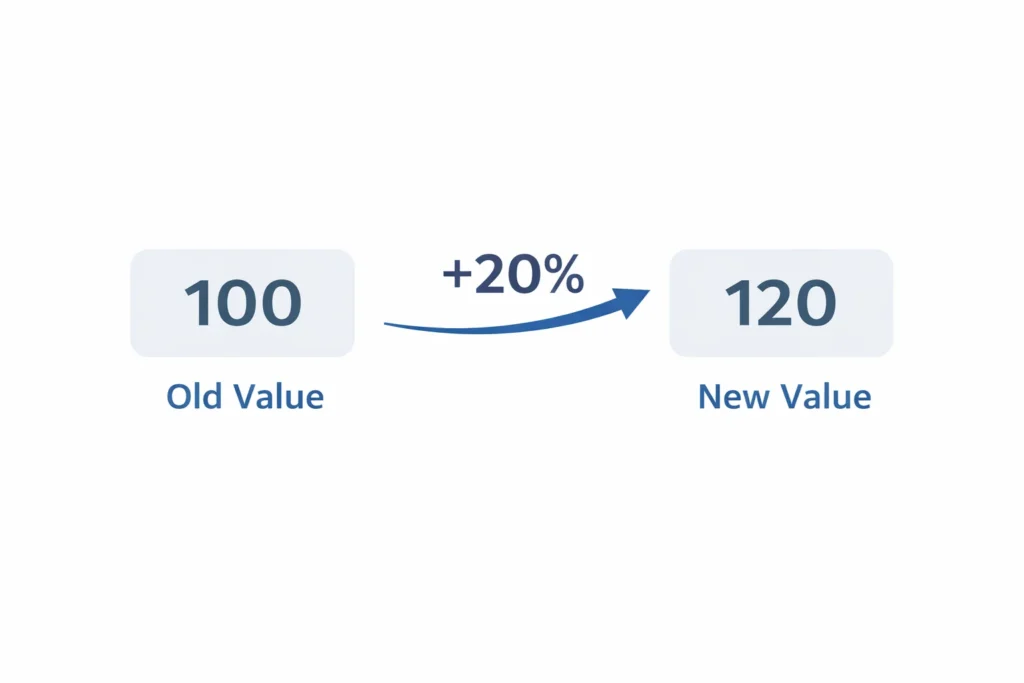
Percent Change Formula
Use this formula:
(New Value – Old Value) ÷ Old Value × 100
Example, value changes from 100 to 120:
(120 – 100) ÷ 100 × 100 = 20%
So, the change is 20 percent.
Percent Increase vs Percent Decrease
- If the result is positive, it is an increase
- If the result is negative, it is a decrease
Example, 150 to 120:
(120 – 150) ÷ 150 × 100 = -20%
This shows a 20 percent decrease.
Percent Change Between Two Numbers Example
Real examples help make it clear:
- Price rises from 80 to 100, increase is 25%
- Visitors drop from 2000 to 1500, decrease is 25%
Percent Difference vs Percent Change, Know the Difference
Many people confuse these two concepts, but they solve different problems. Knowing the difference helps you avoid wrong results.
Percent Difference Formula
Use this formula:
|Value A – Value B| ÷ Average × 100
Average = (Value A + Value B) ÷ 2
Example, compare 80 and 100:
Difference = 20
Average = 90
20 ÷ 90 × 100 = 22.22%
When Percent Difference Makes More Sense
Use percent difference when both values have equal importance.
- Comparing two product prices
- Checking measurement variations
- Analyzing survey data
It does not depend on a starting value like percent change does.
Percent Change vs Percent Difference Example
Compare 80 and 100 using both methods:
- Percent change uses 80 as base → 25%
- Percent difference uses average → 22.22%
This difference happens because each formula answers a different question.
How to Increase a Number by a Percentage
This method is used in salary raises, pricing, and growth calculations.
Formula to Add a Percentage Increase
Use this formula:
Increase = Percentage ÷ 100 × Original Value
New Value = Original Value + Increase
Example, increase 500 by 10%:
Increase = 50
New value = 550
Shortcut Formula for Fast Percent Increase
Use this faster method:
Original × (1 + Percentage ÷ 100)
Example:
500 × 1.10 = 550
This method saves time in repeated calculations.
Real Examples of Percentage Increase
- Salary increases from 1000 to 1150 → 15% increase
- Product price rises from 200 to 240 → 20% increase
- Website traffic grows from 5000 to 6000 → 20% increase
These examples match real-world use cases people search for.
How to Decrease a Number by a Percentage
This method is used for discounts, budget cuts, and price drops.
Formula to Subtract a Percentage
Use this formula:
Decrease = Percentage ÷ 100 × Original Value
New Value = Original Value – Decrease
Example, decrease 500 by 10%:
Decrease = 50
New value = 450
Shortcut Formula for Percent Decrease
Use this faster method:
Original × (1 – Percentage ÷ 100)
Example:
500 × 0.90 = 450
This method is useful when working with multiple values quickly.
Real Examples of Percentage Decrease
- Price drops from 100 to 80 → 20% decrease
- Monthly budget reduces from 2000 to 1600 → 20% decrease
- Score falls from 90 to 72 → 20% decrease
These examples show how percentage decrease applies in daily situations.
Reverse Percentage Problems, Find the Original Value
Reverse percentage helps you find the original value before a change. This is common in discounts and price increases.
Reverse Percentage After a Discount
Use this formula:
Original = Final ÷ (1 – Percentage ÷ 100)
Example, final price is 80 after 20% discount:
80 ÷ 0.8 = 100
So, the original price was 100.
Reverse Percentage After an Increase
Use this formula:
Original = Final ÷ (1 + Percentage ÷ 100)
Example, final value is 115 after 15% increase:
115 ÷ 1.15 = 100
This helps when you only know the final result.
Common Reverse Percentage Mistakes
- Using subtraction instead of division
- Using final value as base
- Forgetting to convert percentage into decimal
These mistakes lead to wrong results even with simple numbers.
Discount Percentage Calculations for Shopping and Pricing
Discount problems appear in sales, coupons, and price comparisons. You need two values, original price and discount rate.
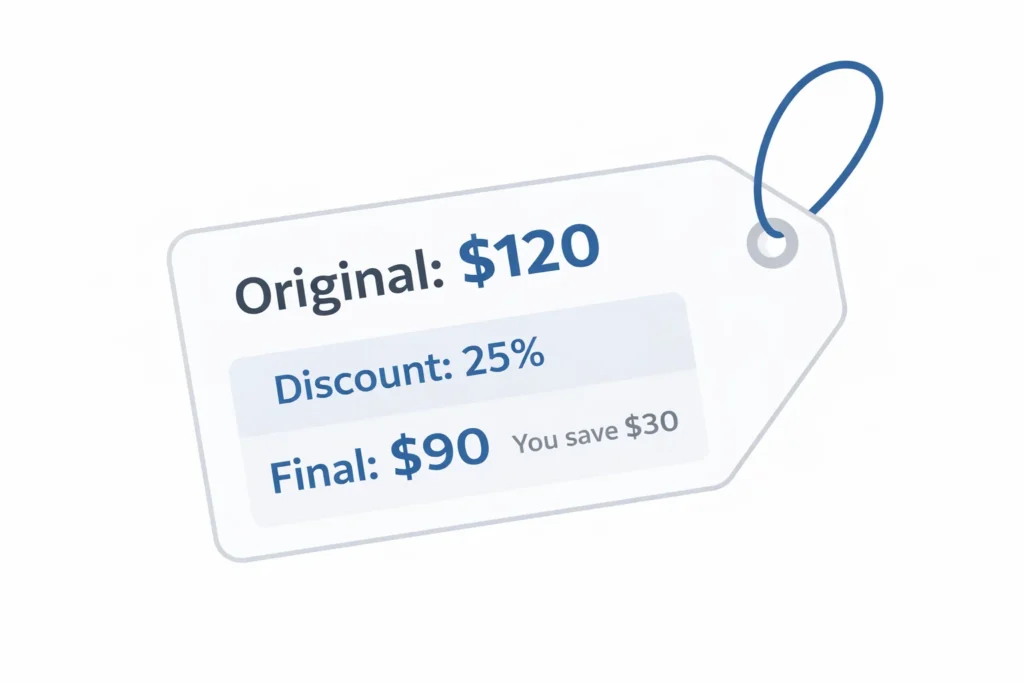
How to Calculate a Discounted Price
Use this formula:
Final Price = Original Price – (Discount ÷ 100 × Original Price)
Example, 120 with a 25% discount:
Discount amount = 30
Final price = 90
This method works for most retail calculations.
How Much You Save in a Discount
Savings equals the percentage of the original price.
Example:
25% of 120 = 30
So, you save 30 and pay 90.
This is useful when comparing different deals quickly.
Compare Two Discounts Correctly
Stacked discounts do not add directly.
Example:
- 20% off, then 10% off is not 30% total
- Apply one discount, then apply the second on the new price
This explains why final prices differ from expectations.
Percent Error Formula for Measured and Expected Values
Percent error shows how far a measured value is from the true value. It is used in experiments, testing, and estimation.
Percent Error Formula
Use this formula:
|Measured – True| ÷ True × 100
Example, measured value is 98 and true value is 100:
|98 – 100| ÷ 100 × 100 = 2%
Percent Error Example
Another example:
Measured value = 105
True value = 100
Error = 5%
This shows how close your result is to the expected value.
Percent Error vs Percent Difference
- Percent error uses a true value
- Percent difference compares two values equally
Understanding this difference avoids incorrect calculations. For more number-based comparisons, you can also use a square root calculator in advanced math cases.
Percentage Conversion, Decimal, Fraction, and Back Again
Conversion helps you move between percent, decimal, and fraction forms quickly. This is useful in finance, exams, and spreadsheets.
Convert Percent to Decimal
Divide the percentage by 100.
Example:
25% = 0.25
12.5% = 0.125
Move the decimal two places to the left.
Convert Decimal to Percent
Multiply the decimal by 100 and add the percent sign.
Example:
0.45 = 45%
0.075 = 7.5%
This is common in reports and calculations.
Convert Fraction to Percent
Divide the fraction, then multiply by 100.
Example:
3 ÷ 4 = 0.75 → 75%
This helps when working with ratios and test scores.
Percentage Formulas in Excel and Spreadsheet Workflows
Many users calculate percentages inside spreadsheets. Using formulas saves time and reduces manual errors.
Excel Formula for Percentage of a Number
Use this format:
=A1 * (B1 / 100)
Example:
If A1 is 500 and B1 is 20, result is 100.
Excel Formula for Percent Change
Use this formula:
=(B1 – A1) / A1
Format the result as percentage.
This is used for growth and decline tracking.
Excel Formula for Discount and Growth
For discount:
=A1 * (1 – B1 / 100)
For increase:
=A1 * (1 + B1 / 100)
These formulas help in pricing and financial planning.
Real-World Percentage Examples People Use Most
Percentages are used in daily decisions. These examples make calculations easier to understand.
Shopping and Discounts
- A product costs 200 with 10% off → final price is 180
- A second item has 20% off → compare savings before buying
Salary, Business, and Profit
- Salary increases from 1000 to 1100 → 10% increase
- Revenue grows from 5000 to 6500 → 30% increase
Grades, Tests, and Marks
- Score 45 out of 50 → 90%
- Improve from 70 to 84 → 20% increase
Finance, Investing, and Returns
- Investment grows from 1000 to 1200 → 20% return
- Monthly growth comparison helps track performance
Grades, Tests, and Marks
- Score 45 out of 50 → 90%
- Improve from 70 to 84 → 20% increase
Finance, Investing, and Returns
- Investment grows from 1000 to 1200 → 20% return
- Monthly growth comparison helps track performance
Percentage Edge Cases Competitors Usually Skip
Some percentage problems do not follow normal patterns. These cases often confuse users and lead to wrong answers.
What Happens When the Starting Value Is Zero
Percent change does not work when the starting value is zero.
You cannot divide by zero in any formula.
In this case, describe the change as absolute, not percentage.
Example, moving from 0 to 50 is a direct increase, not percent change.
Negative Numbers in Percentage Calculations
Negative values appear in finance and loss calculations.
They change how percent change results behave.
Example, moving from -100 to -50:
This is actually a positive improvement, not a loss.
Always check signs before interpreting the result.
Values Above 100 Percent
Percentages can go above 100 in growth situations.
There is no upper limit in real scenarios.
Example:
- Growth from 50 to 150 equals 200% increase
- Investment doubling results in 100% return
This is common in business and performance tracking.
Percentage Mistakes That Lead to Wrong Answers
Many errors come from simple misunderstandings. Fixing them improves accuracy quickly.
Using the Wrong Base Value
The base value decides the final percentage result.
Using the wrong base gives a completely different answer.
Example:
Comparing 50 to 100 is different from comparing 100 to 50.
Confusing Percent Change with Percent Difference
These formulas are not interchangeable.
Each one answers a different type of question.
Use percent change for growth or decline.
Use percent difference for comparing two values equally.
Forgetting Decimal Conversion
Percent must be converted into decimal before calculation.
Example:
15% should be written as 0.15 in formulas.
Skipping this step causes wrong results in manual and Excel calculations.
Percentage Calculator Quick Formula Summary
A percentage calculator becomes easier when you remember key formulas.
Use this section as a quick reference when solving problems.
Core Percentage Formulas
- Percentage of a number → (percentage ÷ 100) × number
- What percent is X of Y → (X ÷ Y) × 100
- Find whole → part ÷ decimal form of percentage
Change and Difference Formulas
- Percent change → (new – old) ÷ old × 100
- Increase → original × (1 + percentage ÷ 100)
- Decrease → original × (1 – percentage ÷ 100)
- Percent difference → difference ÷ average × 100
Reverse, Discount, Error, and Conversion Formulas
- Reverse percentage → final ÷ (1 ± percentage ÷ 100)
- Discount → original – (percentage × original ÷ 100)
- Percent error → difference ÷ true value × 100
- Conversion → percent ÷ 100 = decimal
Frequently Asked Questions
Conclusion
A percentage calculator helps solve everyday math faster and with fewer mistakes.
Once you understand formulas and real examples, most problems become simple.
Focus on choosing the right formula for each situation.
Avoid common mistakes like wrong base values and missing decimal conversion.
Practice with real examples like discounts, salary changes, and growth tracking.
This will make percentage calculations faster and more accurate over time.