

Time Duration Calculator – Hours, Minutes Between Two Times
Calculate the exact duration between two times or between two date-time points. This tool stays focused on duration only.
Your Time Duration
0h 00m
Main duration between your selected times.
Total Hours
0.00
Total Minutes
0
Total Seconds
0
Your Date + Time Duration
0d 0h 00m
Main duration between your selected date-time points.
Total Days
0.00
Total Hours
0.00
Total Minutes
0
A time duration calculator helps measure the exact gap between two time points. It shows how many hours, minutes, or seconds fall between a start time and end time. This is useful for work shifts, meetings, study sessions, and daily routines.
Many people also look for a time difference calculator or elapsed time calculator for the same purpose. The idea stays simple. You want a clear result without doing manual subtraction.
Small mistakes are common when calculating time. Mixing AM and PM, ignoring overnight duration, or miscounting minutes can lead to wrong results. Using the right approach makes the process quick and accurate.
What is time duration and why it matters in daily life
Time duration means the total amount of time between a beginning and an ending point. In simple words, it tells you how long something lasted.
You may need it for many normal situations, such as:
- checking work hours between clock-in and clock-out
- measuring meeting duration
- tracking study time
- planning a task or session
- comparing activity length during the day
It sounds simple, but small mistakes happen often. People mix up AM and PM, forget overnight duration, or subtract minutes incorrectly. That is why understanding elapsed time properly can save both time and confusion.
Time duration vs time difference vs elapsed time
These terms are often used together, but they have slightly different meanings.
Time duration is the full length between a start time and an end time. It focuses on the total time passed.
Time difference is a broader term. It can refer to the gap between two times or even between two dates.
Elapsed time is more practical. It shows how much real time has passed during an activity.
Here is a simple way to understand them:
- Time duration → total time between two timestamps
- Time difference → general gap between values, time or date
- Elapsed time → real-world time passed during an event
In most cases, people use these terms interchangeably. But for accurate calculations, especially with hours, minutes, and seconds, time duration is the most precise term.
How to calculate time duration between two times manually
You can calculate time duration without a tool if the values are simple. The method is easy once you follow clear steps.
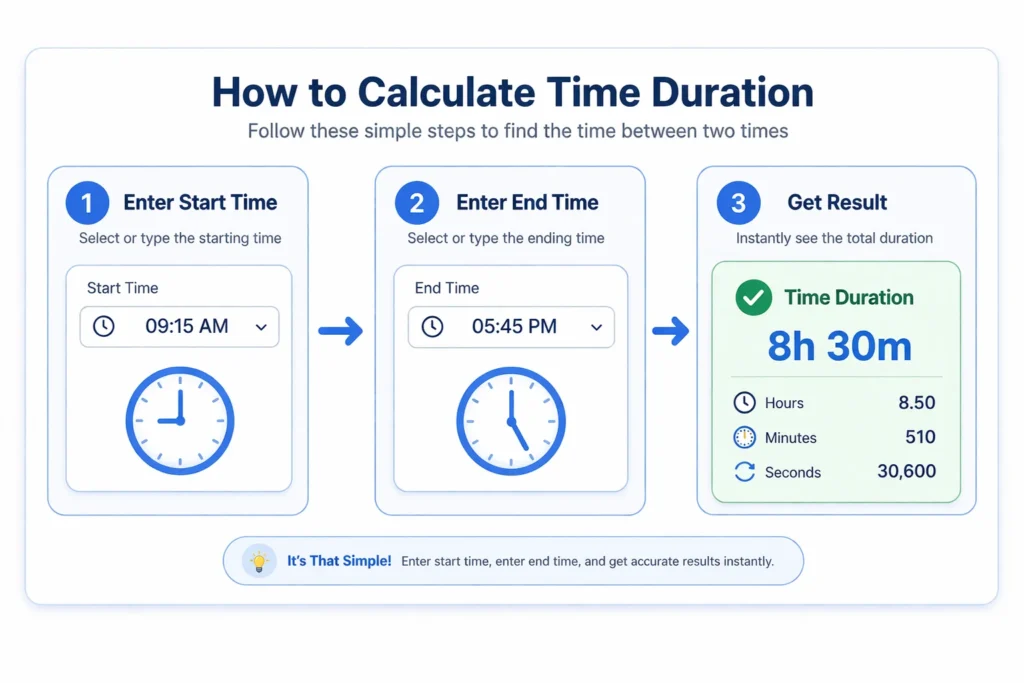
Start by writing both times in the same format. Use either 12-hour or 24-hour format to avoid confusion.
Then follow this process:
- Convert both times into hours and minutes
- Subtract the start time from the end time
- If minutes become negative, borrow one hour
- Adjust minutes by adding 60 and reduce one hour
Example:
- Start time: 9:20
- End time: 12:45
Step calculation:
- Hours → 12 − 9 = 3
- Minutes → 45 − 20 = 25
Final duration → 3 hours 25 minutes
This method works well for same-day calculations. It becomes tricky when the time crosses midnight, which needs a different approach.
Handling overnight and cross midnight time duration correctly
Overnight duration happens when the end time falls on the next day. This is common with night shifts, travel, or late activities. In this case, you cannot subtract normally because the end time looks smaller than the start time.
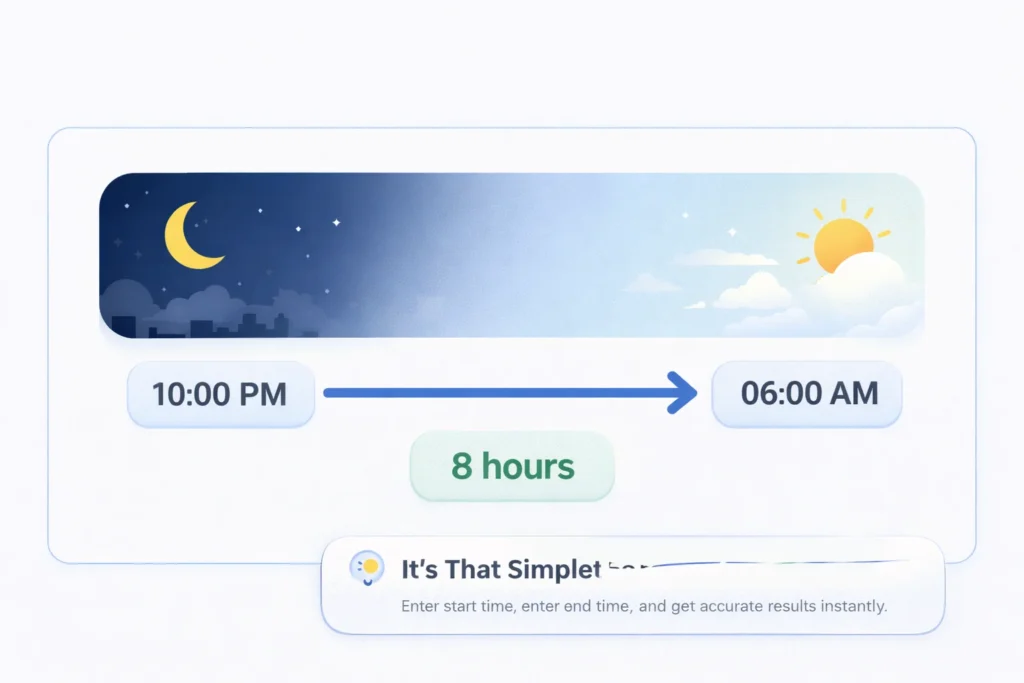
Use this simple method:
- Calculate time from start time to midnight
- Then add time from midnight to end time
Example:
- Start time: 10:30 PM
- End time: 6:15 AM
Steps:
- From 10:30 PM to 12:00 AM → 1 hour 30 minutes
- From 12:00 AM to 6:15 AM → 6 hours 15 minutes
- Total duration → 7 hours 45 minutes
To avoid mistakes:
- Always check if the duration crosses midnight
- Use a “next day” option when using a tool
- Keep time format consistent
This step is where most manual errors happen. A proper time difference setup handles overnight duration correctly without confusion.
Handling overnight and cross midnight time duration correctly
Overnight duration happens when the end time falls on the next day. This is common with night shifts, travel, or late activities.
In this case, you cannot subtract normally because the end time looks smaller than the start time.
Use this simple method:
- Calculate time from start time to midnight
- Then add time from midnight to end time
Example:
- Start time: 10:30 PM
- End time: 6:15 AM
Steps:
- From 10:30 PM to 12:00 AM → 1 hour 30 minutes
- From 12:00 AM to 6:15 AM → 6 hours 15 minutes
- Total duration → 7 hours 45 minutes
To avoid mistakes:
- Always check if the duration crosses midnight
- Use a “next day” option when using a tool
- Keep time format consistent
This step is where most manual errors happen. A proper time difference setup handles overnight duration correctly without confusion.
Understanding time formats, 12 hour vs 24 hour systems
Time format plays a big role in accurate duration calculation. Using the wrong format often leads to incorrect results.
The 12-hour format uses AM and PM to separate day and night. It runs from 1 to 12 twice a day.
The 24-hour format uses values from 00 to 23. It avoids confusion because each hour appears only once.
Here is a quick comparison:
- 12-hour format → 2:00 PM, 11:30 AM
- 24-hour format → 14:00, 11:30
Some important points:
- 12:00 AM means midnight
- 12:00 PM means noon
- 13:00 in 24-hour format equals 1:00 PM
Military time is also based on the 24-hour system. It removes AM and PM completely.
For time duration calculations:
- Keep both times in the same format
- Convert if needed before subtracting
- Prefer 24-hour format for accuracy
This small step prevents many common mistakes in time calculations.
Breaking down time duration into hours, minutes, and seconds
Once you calculate the duration, the next step is to understand it clearly. Breaking it into smaller units makes it easier to read and use.
Time duration is usually expressed in:
- hours
- minutes
- seconds
Each unit helps in different situations.
Hours give a quick overview of longer durations. Minutes add more precision when tasks are shorter. Seconds are useful when exact timing matters, like tracking activities or events.
Example:
- Total duration → 2 hours 30 minutes
- In minutes → 150 minutes
- In seconds → 9000 seconds
This breakdown helps when you need different formats for different needs.
For better clarity:
- Use hours and minutes for daily tasks
- Use total minutes for comparisons
- Use seconds for precise calculations
Understanding these units makes time calculations more flexible and practical.
Converting time duration into decimal hours and total minutes
Sometimes, standard hours and minutes are not enough. You may need a single numeric value for calculations or reporting.
Decimal hours are widely used in work tracking, billing, and time logs. They convert minutes into a fraction of an hour.
Here is how it works:
- Divide total minutes by 60
- Example → 90 minutes = 1.5 hours
Total minutes are even simpler:
- Convert all hours into minutes
- Add remaining minutes
Example:
- 2 hours 30 minutes → (2 × 60) + 30 = 150 minutes
Why this matters:
- Decimal hours are useful for payroll and analysis
- Total minutes help in quick comparisons between tasks
- Both formats reduce confusion in calculations
A good time duration calculator usually shows both formats. This makes it easier to use the result in different scenarios.
Common real life use cases of time duration calculation
Time duration is used in many everyday situations. It helps people stay organized and manage time better.
Here are some common use cases:
- Work shifts
Calculate hours between clock-in and clock-out times accurately. - Meetings and calls
Track how long a meeting lasts for better planning. - Study sessions
Measure focus time and improve productivity habits. - Task tracking
Estimate how long a task takes to complete. - Daily routines
Compare time spent on activities like exercise or sleep.
Using a time duration calculator in these cases saves effort. It also removes small calculation errors that happen with manual methods.
Time duration between dates and times for multi day calculations
Sometimes you need more than same-day time calculation. You may want to measure duration across multiple days with exact timestamps.
This is where date and time duration becomes useful. It combines calendar dates with precise time values.
Example:
- Start → 10 March, 2:30 PM
- End → 12 March, 6:45 PM
Result:
- 2 days 4 hours 15 minutes
This type of calculation includes:
- days
- hours
- minutes
It is different from a date-only calculator because it does not ignore time. It gives a more accurate duration when events span across days.
Common use cases:
- event planning
- project deadlines
- travel duration
- long study schedules
When using a tool, simply enter start date, start time, end date, and end time. The calculator handles the full time difference automatically.
Common mistakes people make when calculating time duration
Small mistakes can easily change the final result. Most errors happen due to format confusion or incorrect subtraction.
Here are common mistakes to avoid:
- Mixing 12-hour and 24-hour formats without proper conversion
- Forgetting to mark AM or PM in 12-hour format
- Ignoring overnight cases where time crosses midnight
- Subtracting minutes directly without borrowing from hours
- Entering end time earlier than start time without adjustment
Another common issue is rounding incorrectly. This can affect results when converting into decimal hours or total minutes.
To avoid errors:
- Always check the time format before calculation
- Keep both times consistent
- Use a proper method or tool for complex cases
Being careful with these details ensures your time duration stays accurate and reliable.
Quick way to calculate time duration using an online calculator
Manual calculation works, but it can take time and lead to small errors. Using an online method makes the process faster and more accurate.
A time duration calculator helps you get results instantly with minimal effort.
Here is how to use it:
- Enter the start time
- Enter the end time
- Enable next day option if needed
- Click calculate to see the result
The tool will show:
- total duration in hours and minutes
- total hours in decimal format
- total minutes and seconds
This method is useful when:
- the duration crosses midnight
- you need quick results
- you want to avoid manual mistakes
It keeps the process simple while giving clear and reliable output.
How this time duration calculator works?
The logic is simple, but it removes manual effort and errors. First, the calculator reads your start time and end time. Then it converts both values into total minutes.
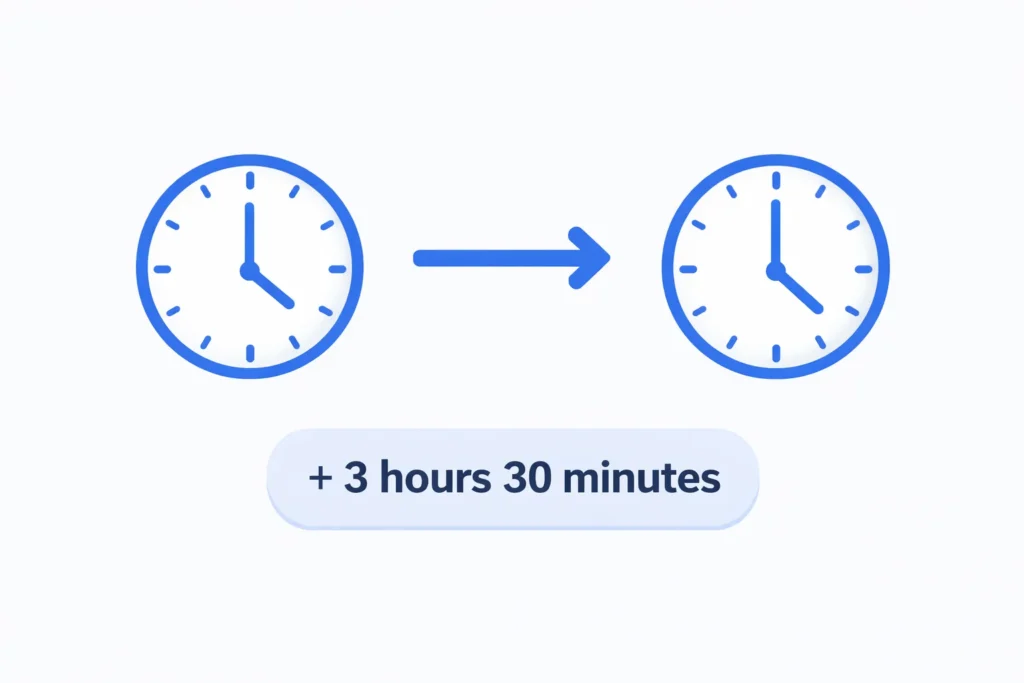
After that:
- It subtracts start time from end time
- If next day is selected, it adjusts using a 24-hour cycle
- It calculates total minutes as the base value
From this base value, it generates:
- hours and minutes format
- total hours in decimal
- total minutes and seconds
This approach ensures:
- accurate time difference
- proper handling of overnight duration
- consistent results across all formats
Everything happens instantly once you click calculate.
When to use a time calculator instead of a duration calculator
It is important to use the right tool for the right task. Many people confuse duration with addition or subtraction of time.
A time calculator is used when you want to add or subtract time values.
Examples:
- Add 2 hours 30 minutes to 10:00 AM
- Subtract 45 minutes from 6:15 PM
A duration calculator is different. It only measures the gap between two time points.
Use each tool correctly:
- Time duration calculator → find time between two times
- Time calculator → add or subtract time values
Using the correct method avoids confusion and gives accurate results.
When to use a date calculator or working days calculator
Not every time problem needs a duration-based approach. Sometimes you need tools focused on dates or business days.
A date calculator is useful when you want to find the number of days between two calendar dates. It works without focusing on hours or minutes.
A working days calculator goes one step further. It excludes weekends and sometimes holidays to give business-day results.
Use these tools in the right situations:
- Date calculator → count total days between two dates
- Working days calculator → count only weekdays or business days
- Time duration calculator → measure hours and minutes between times
This keeps your calculations accurate and avoids mixing different types of results.
Key features that make a good time duration calculator
A good tool should stay simple and accurate. It should solve one problem clearly without adding extra confusion.
Here are the most useful features:
- Easy input for start time and end time
- Support for both 12-hour and 24-hour formats
- Option to handle overnight or next day duration
- Clear output in hours and minutes
- Additional values like total minutes and seconds
Other helpful aspects:
- Fast calculation without page reload
- Clean layout that works well on mobile devices
- Clear error messages for invalid inputs
These features make the experience smooth and reliable. Users can quickly understand the result without extra steps.
Frequently asked questions about time duration
Final thoughts on calculating time duration correctly
Understanding time duration makes daily planning much easier. It helps you measure tasks, manage schedules, and avoid simple calculation mistakes.
Small details matter, like using the right time format and handling overnight cases properly. Once you understand these basics, calculating duration becomes straightforward.
A time duration calculator simplifies the process even more. It gives quick and accurate results without manual effort. This is especially helpful when dealing with complex time differences. Using the right approach saves time and keeps your calculations reliable.